

You are currently viewing BitBrowser X PlainProxies Integration Guide

BitBrowser X PlainProxies Integration Guide

What is BitBrowser?

BitBrowser is an antidetect browser designed for managing multiple accounts securely. With support for fingerprint isolation, proxy integration, and team collaboration, BitBrowser helps users operate multiple e-commerce, social media, and advertising accounts without detection or overlap.

Whether you’re working solo or with a team, BitBrowser offers:

Getting started

Create an account, then download the app & log in.

Proxy Setup

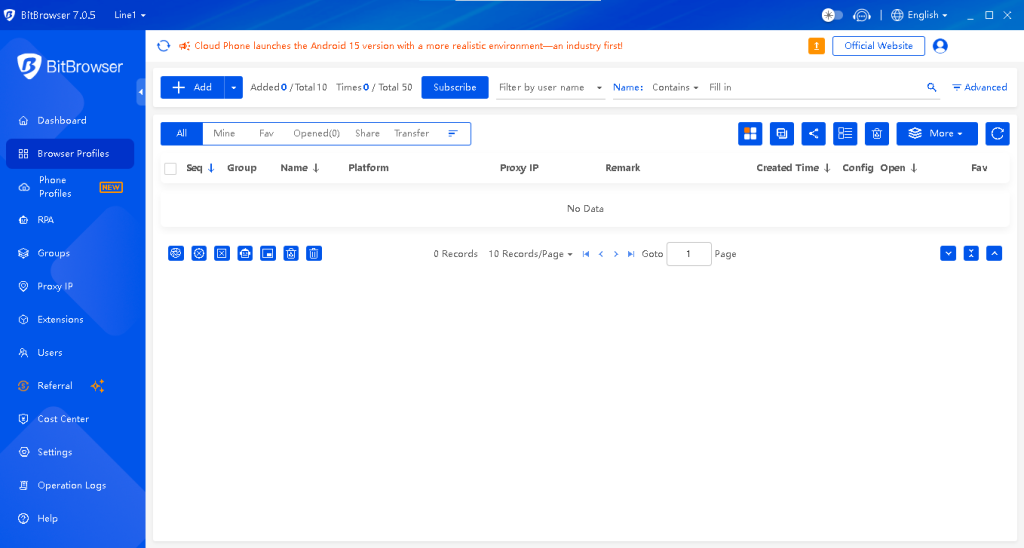
1. Go to the Browser Profiles tab and select + add

Create profile

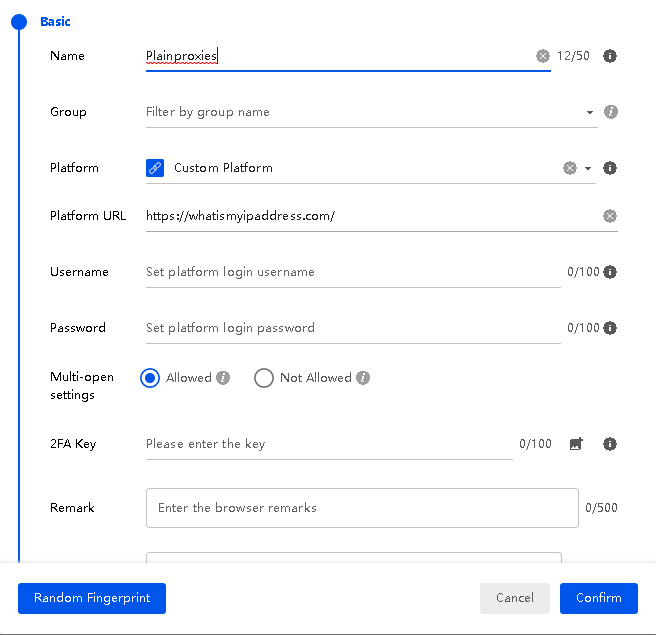
2. Adjust your fingerprint settings

Customizer fingerprint

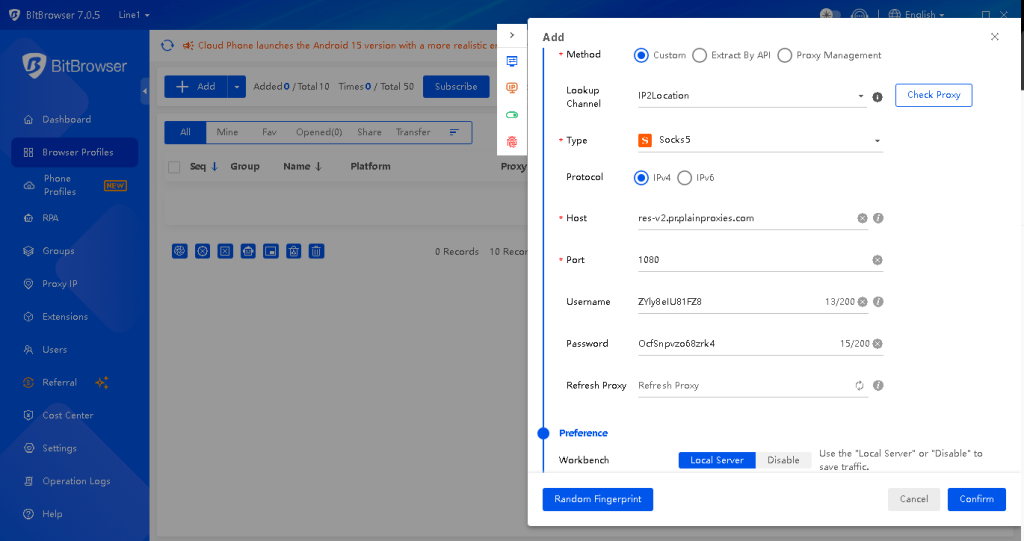
3. Configure the proxy details depending on the proxy product:

Residential Proxies

Type: HTTP, SOCKS5
Host: res-v2.pr.plainproxies.com
Port: 8080 (HTTP), 1080 (SOCKS5)

We recommend to use the Proxy Generator on our dashboard to help you generate your desired proxy.

Datacenter Proxies

Type: HTTPSOCKS5
Host: dc.us-pr.plainproxies.com
Port: 1338(HTTP), 1339 (SOCKS5)

Setup proxy

4. Click “Create Profile” to finalize the setup.

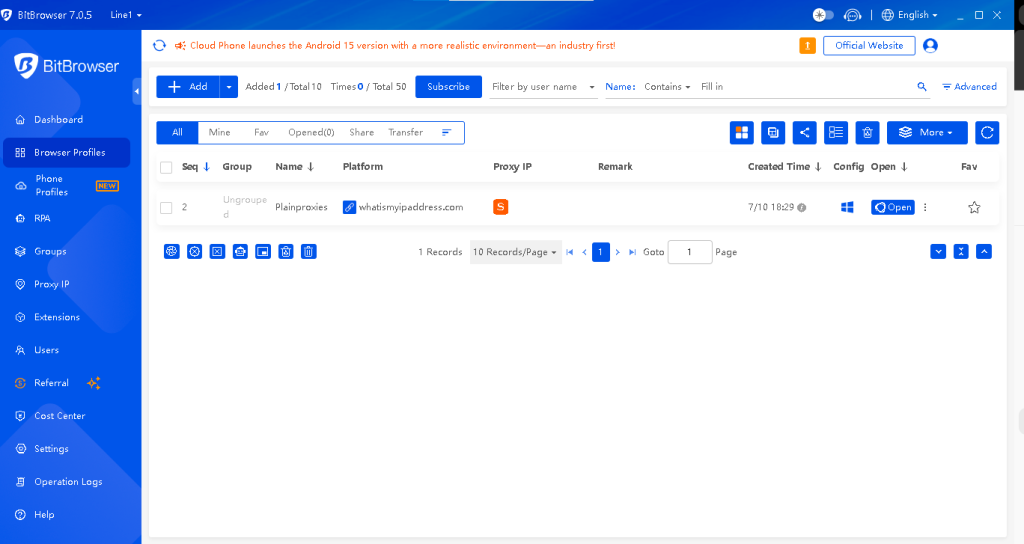
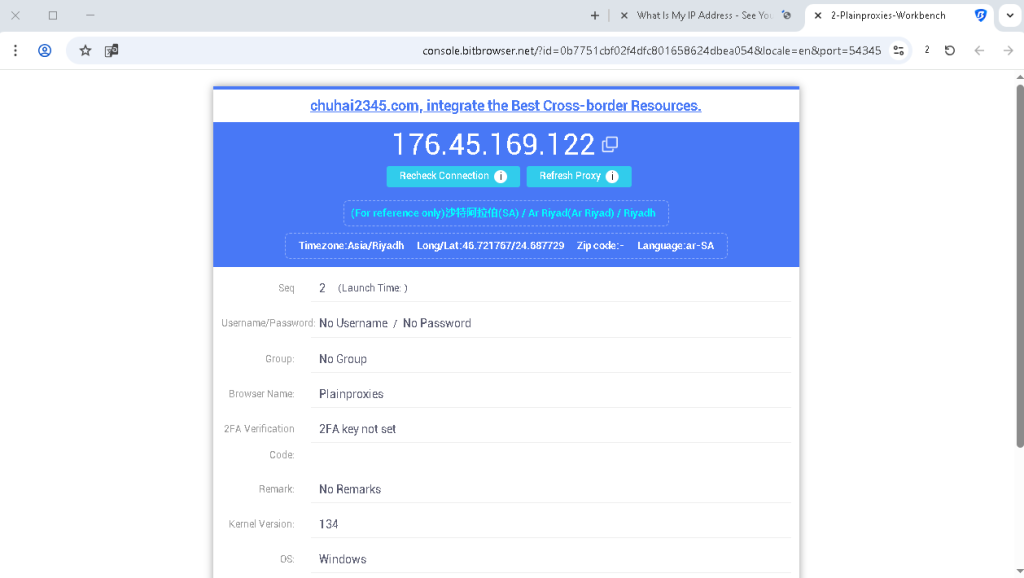
6. Launch the Profile by clicking the Play Button under Actions & verify the connected IP represents the proxy.

Verify the Proxy IP

You can now successfully browse the web completely anonymously behind backed by our residential proxy networkIf you need any help with your setup, feel free to reach out to our live chat support. We are happy to help!

Also check out our integrations blog category for more guides on how to use popular, anti-detect browsers.

Discount Carnival – Limited Time Offer!
Promotion Period: May 31 – June 30
Eligible Users: BitBrowser & Cloud Phone users
 Massive Discounts on All Plans:
1 Month – 10% OFF
3 Months – 20% OFF
6 Months – 30% OFF
12 Months – 40% OFF
24 Months – 50% OFF

Multiple packages available — choose what fits your needs best.
Start your risk-free trial today! Visit the official website now: BitBrowser

Section Title

IPv4 vs IPv6 Proxies: Which Protocol Fits Your Automation Workload in 2026

Most proxy users default to IPv4 without evaluating IPv6. The ones who consider IPv6 focus on cost...


What Are Proxies and How Do They Work in 2026?

A proxy server sits between your device and the internet, routing requests through a different IP...

How Proxy Rotation, ASN Diversity, and IP Reputation Impact Detection Rates

Every proxy request passes through a scoring system that evaluates three infrastructure signals...

Why ISP Proxies Dominate When Static, Trusted IPs Matter

ISP proxies route traffic through data center infrastructure using IP addresses registered under...

Datacenter vs ISP Proxies: Speed vs Stability – Which Fits Your Workflow?

Datacenter proxies and ISP proxies both run on server infrastructure, but the ASN (Autonomous System...

Residential vs ISP Proxies: Static Power vs Dynamic Stealth

Residential proxies route traffic through household devices with rotating IP addresses, while ISP...

Residential vs Datacenter Proxies: What’s the Difference & When to Use Each?

Residential proxies and datacenter proxies route traffic through different IP infrastructures, and...